Workshop scheduling and online booking
In ReForge the schedule is one calendar for the whole team. Online requests from customers' app land right in it, tagged “Online”: you approve, decline or propose another date. When someone calls, you book them in with just their phone number. You set how many cars you take online per day and close the days you don't work.
The whole workshop in one calendar
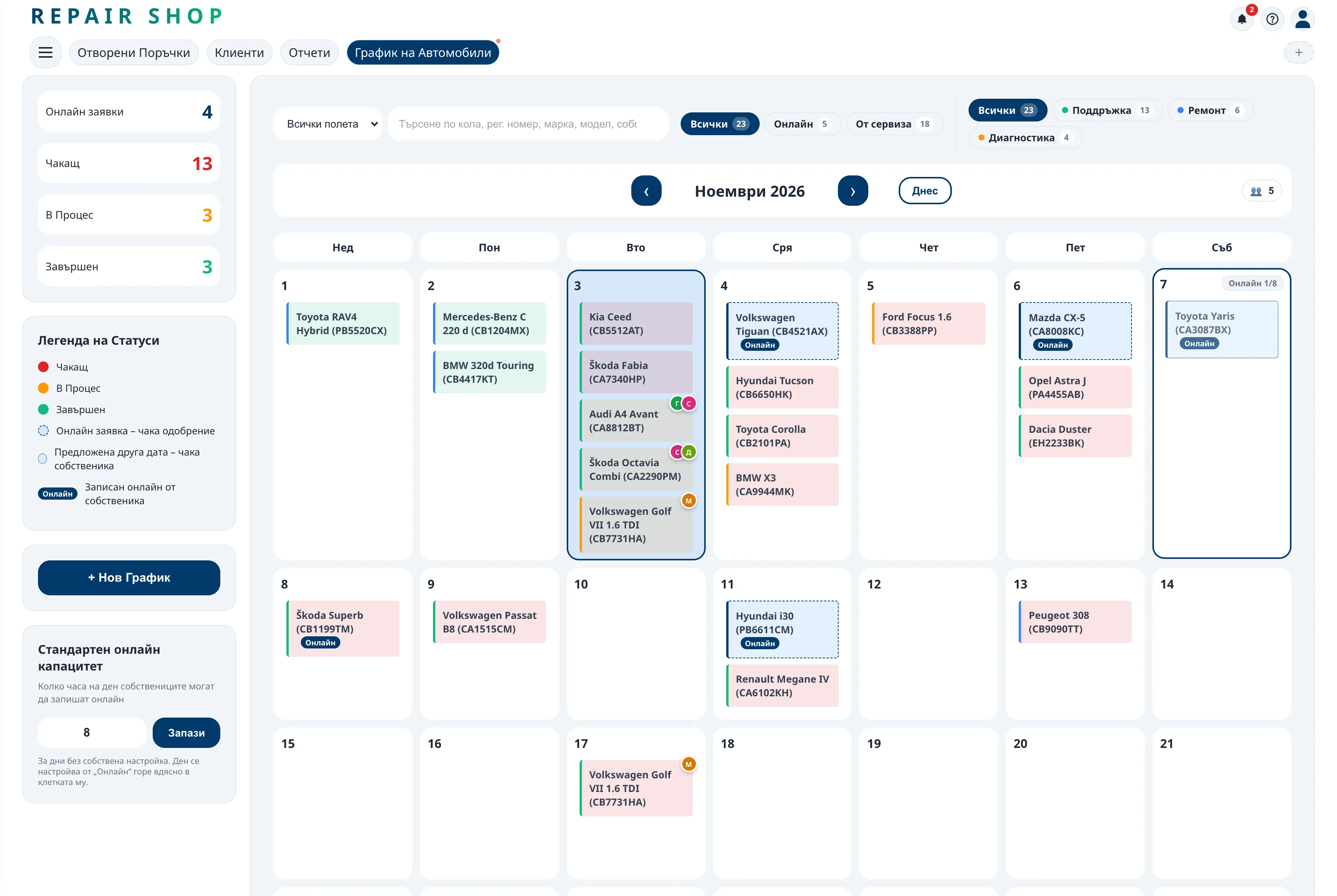
Every booked car is in the schedule with the customer, the car and the work to be done. Service types have their own colours, so you see at a glance whether tomorrow is a day of servicing, suspension or engine work.
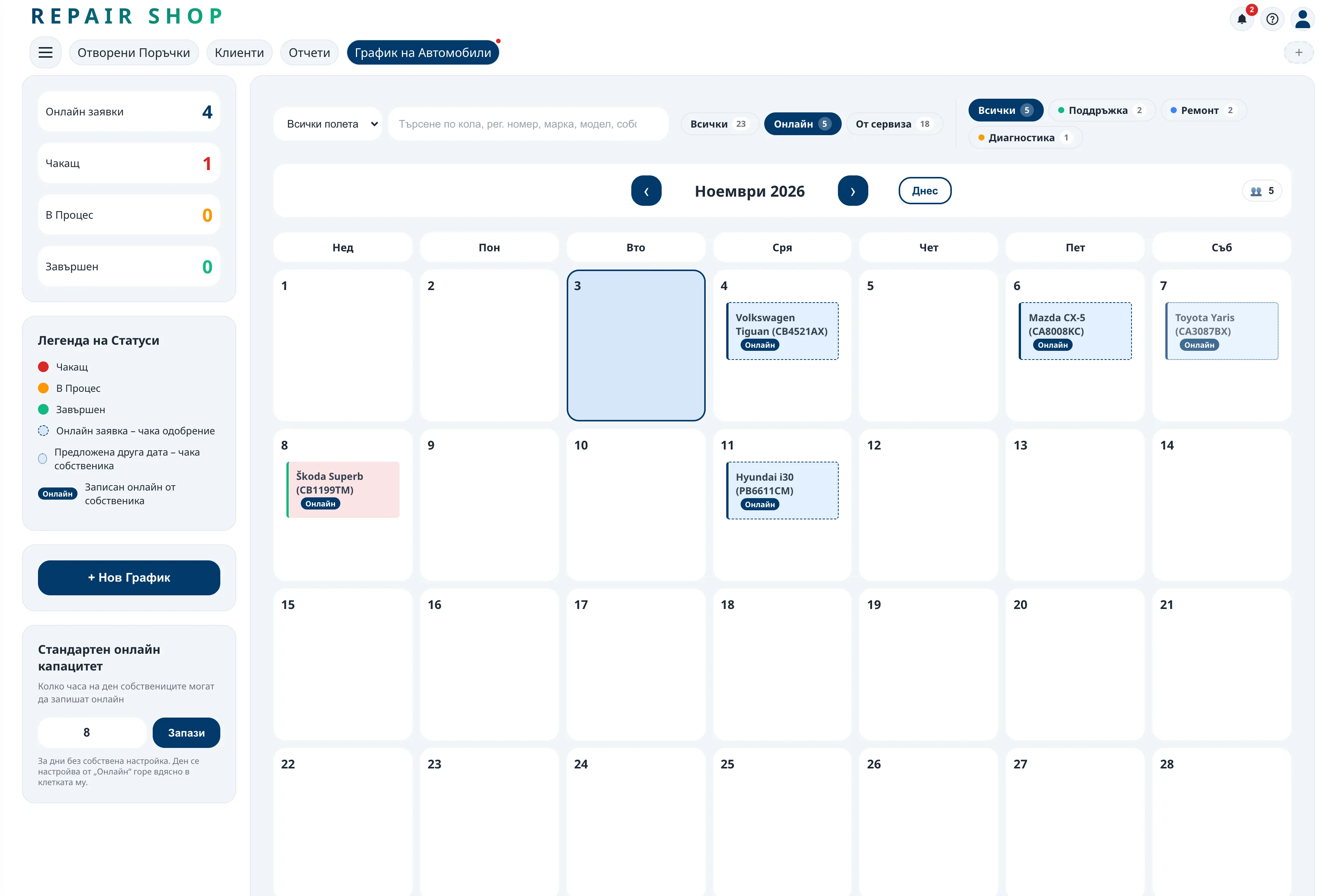
Customers' online bookings are in the same calendar, tagged “Online”. The All, Online and Shop bookings buttons above it show everything, only the online bookings or only the ones the shop made.
Quick booking over the phone
A customer calls – you book them in with just their phone number. The name, number plate and the rest can be added later. If the booking is for today, the job opens at once and the car appears on the open jobs board.
A company car is booked under its company: one you already work with is picked automatically, and a new one is added to your business customers.
Customers book themselves
Car owners with the ReForge app find your shop on the map and request a slot from their phone – the time and the type of service are optional. The request appears right in your schedule, next to the other cars, and you approve it or decline it with a note. The customer sees your answer straight away.
Another date when the day is full
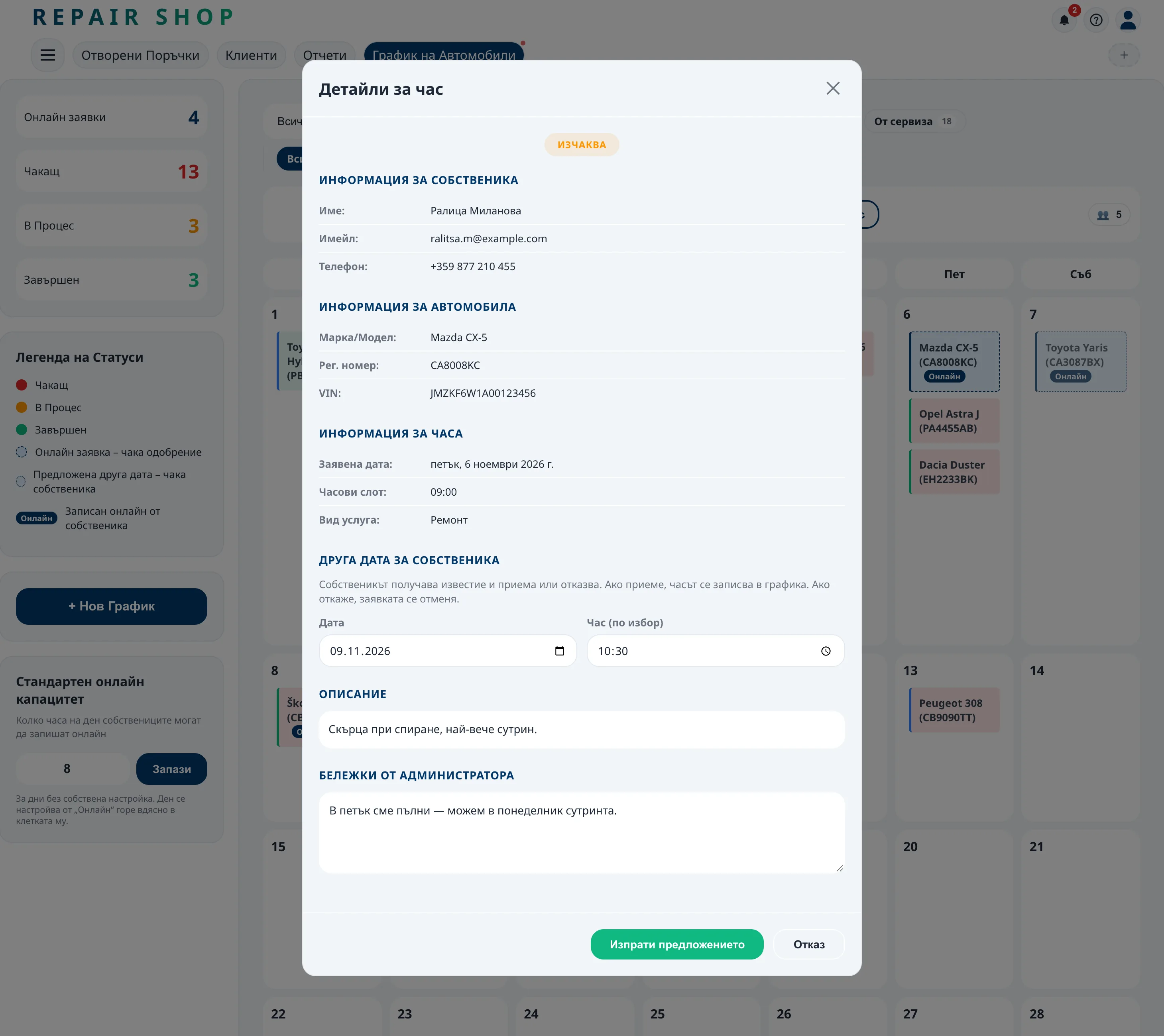
If you can't take the car on the day the customer asked for, propose another date and, if you like, a time. The customer accepts or declines it in the app: accepted, it is booked on the schedule; declined, the request is cancelled.
Capacity and days off
Set how many cars you take online per day – for every day at once, or for a particular day right from the calendar – and close the days you don't work. Online booking never promises more than your team can handle.
Mechanics can ask for work
Mechanics see the schedule and can ask for a booked car they want to take on. You approve – and a job opens with that mechanic.
Frequently asked questions
Does the customer need the app to book?
No. Customers with the app request slots themselves; for everyone else you book from the shop – even with just a phone number.
Can I limit the number of bookings per day?
Yes. You set a daily capacity and close the days you don't work.
What if I can't take the car on the day the customer wants?
You propose another date. The customer accepts or declines it in the app – accepted, it is booked on the schedule; declined, the request is cancelled.
Do mechanics see the schedule?
Yes. Mechanics see the shop's schedule in their own profile and can ask for work, which you approve.
