Work orders and job cards for your repair shop
ReForge shows every open work order on one board – car, customer, parts, labour and which mechanic is on what. Mechanics track their own time, you accept or send back the work, and when the job is closed the repair goes into the car's service history and your reports on its own.
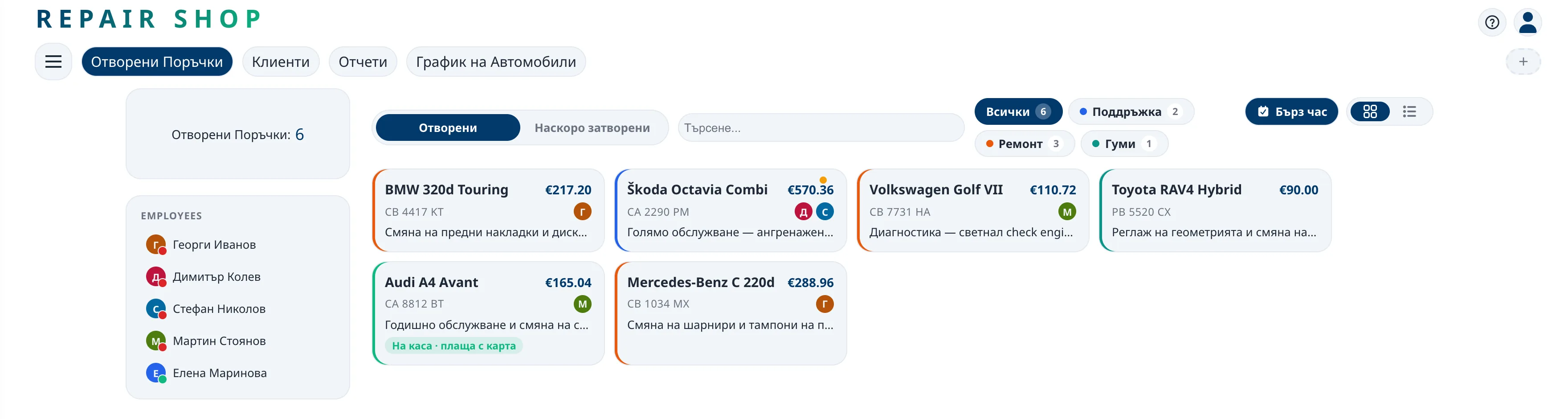
Every car in the workshop at a glance
The open jobs board replaces the key board and the notebook at the front desk. You see every car in the workshop, its status and the mechanic working on it – live, from the office computer or from your phone.
What a work order holds
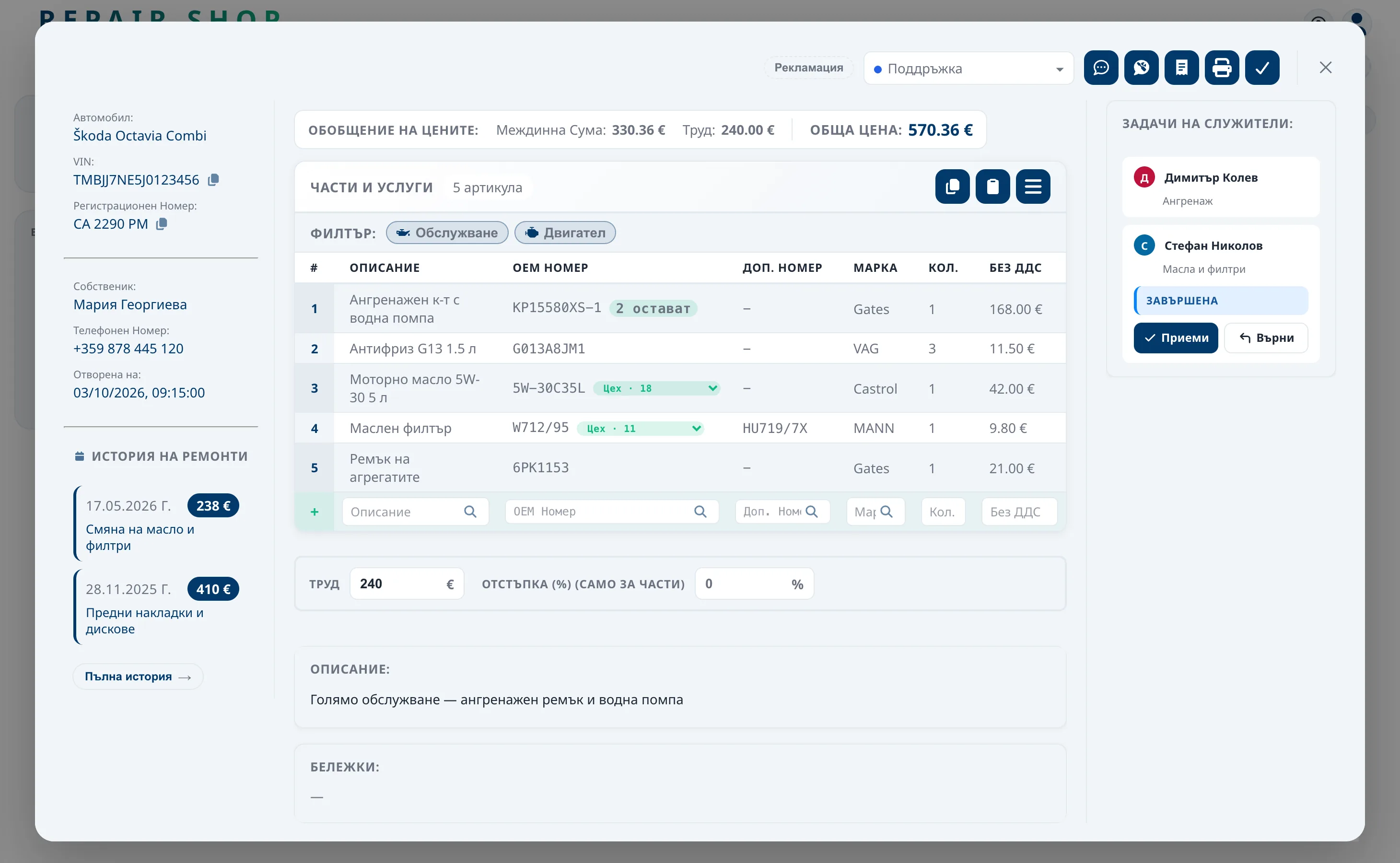
- The car and the customer – VIN, number plate, mileage and phone number, taken from the customer's record.
- Parts and labour – from the catalogue and stock or typed by hand; the total is worked out for you.
- Mechanics and tasks – one or more mechanics, each with their own task.
- Description and notes – what the customer reported and what the inspection found.
- Service type – servicing, engine, suspension or your own types, each with its own colour.
Mechanics track their time, you accept the work
Each mechanic sees their own jobs in their own profile and starts a timer when they begin. When they finish, they mark the work as done, and you accept it or send it back with a note on what to redo. Time the car spends waiting for your check doesn't count towards the mechanic's hours.
So you know how long each repair really takes. That data feeds into the mechanic scores and helps you give more accurate time frames and quotes.
Parts that move with your stock
When you add a part from stock to a work order, it is reserved at once and can't be promised to another car. If the job is cancelled, the part goes back into stock. More in parts inventory and catalogue.
Closing a job without double work
When the job is closed, the repair is saved to the car's service history with its parts, labour and mechanics. From the same work order you issue the invoice, delivery note or handover record, and the amounts go into your reports. Nothing is written twice.
What everyone in the shop gets
| Role | What they get |
|---|---|
| Owner / manager | The full picture of the shop, even when they're not there. |
| Service adviser | No notebooks or sticky notes – every car and every conversation is in the work order. |
| Mechanic | Clear tasks, tracked time and a history of their own work. |
| Customer | Live repair status in the app, without having to call. |
Frequently asked questions
Can I open a job for a car without a number plate?
Yes. A job can be opened for a car without a plate, or with just the customer's phone number through a quick booking. The rest is filled in later.
How many mechanics can work on one job?
As many as it takes. Each gets their own task and tracks their own time, and you see how far each of them has got.
Does it work on a phone?
Yes. ReForge runs in the browser and has apps for iOS, Android, Windows and macOS, so the jobs board is always at hand.
What happens to the job once I close it?
The repair is saved to the car's service history, the amounts go into your reports, and the invoice, delivery note or handover record is issued from the same job.
