Customers, vehicle service history and inspections
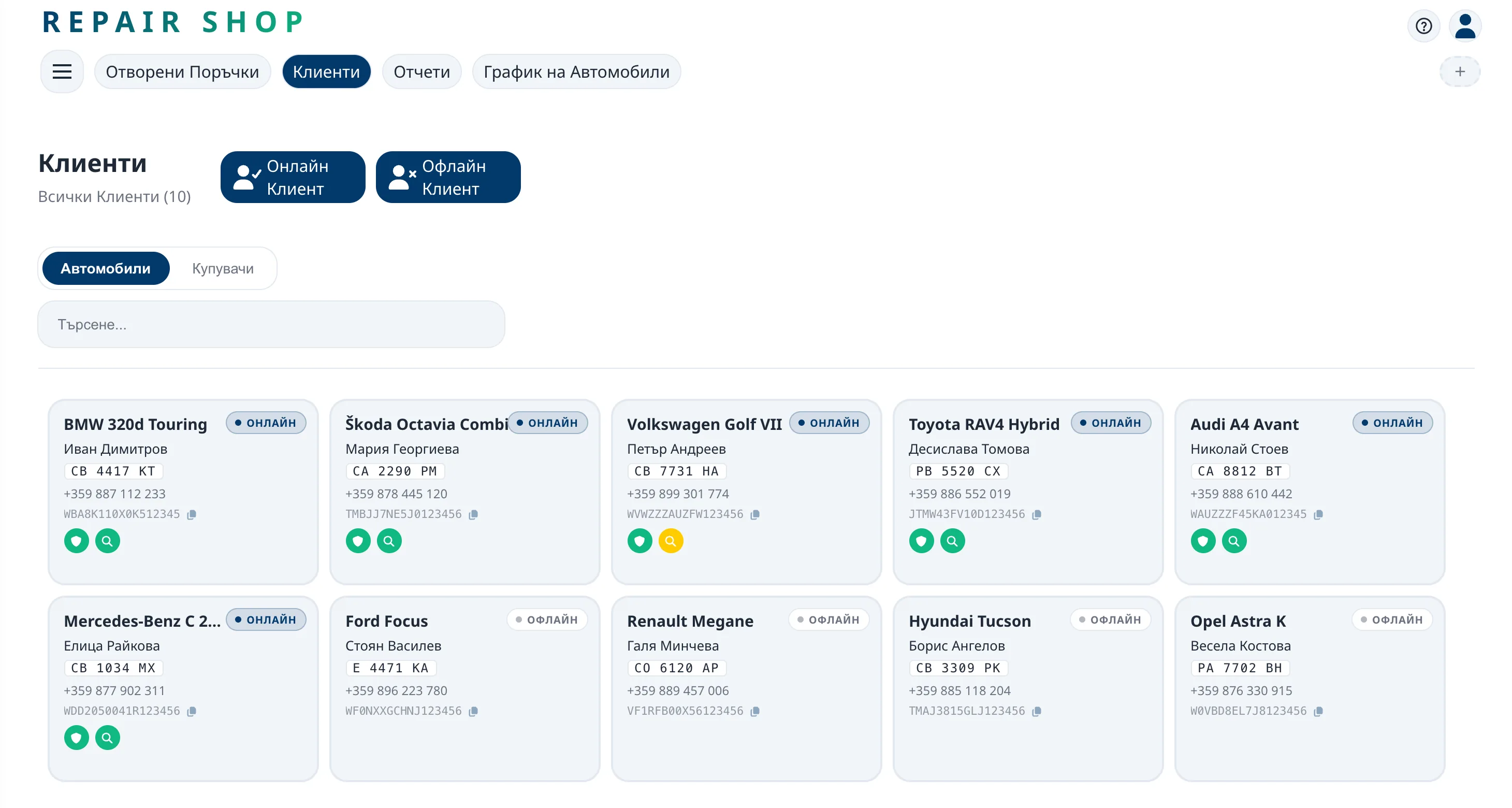
ReForge keeps every customer and each of their cars with the full service history – parts, labour, mileage and mechanics for every repair. With each repair you can record an inspection: body damage on a diagram, tyre condition and wheel alignment, ready to print for the customer.
Customers with or without the app
Add a customer without the app with their name, phone number and car details. If the owner uses ReForge, invite them with the car's VIN – once they accept, they get live repair status and can message you.
For customers with the app you also see when their car's insurance, roadworthiness test or vignette is about to expire – a good reason to call.
The car's history, not just the job's
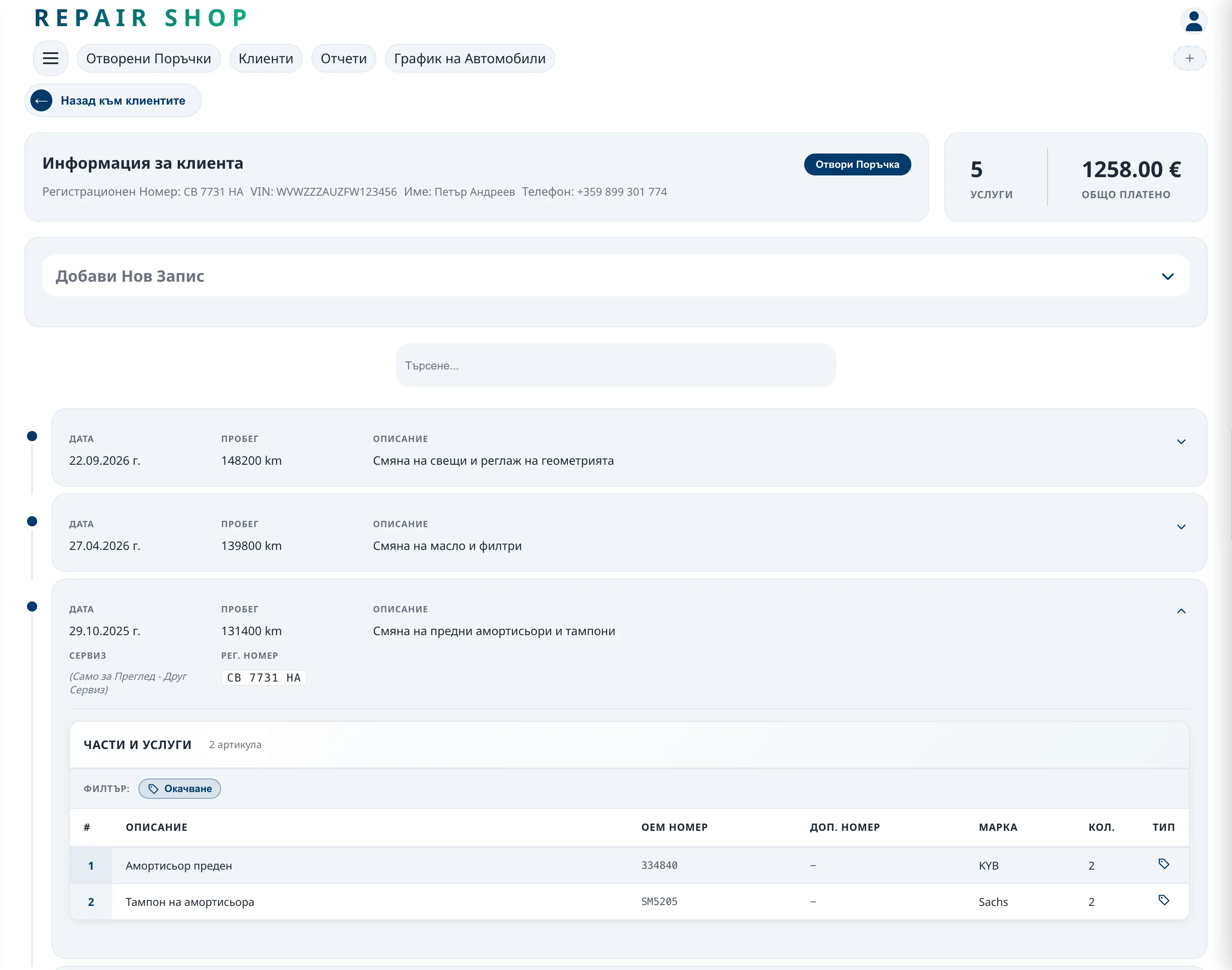
Every closed repair goes into the car's history with the date, mileage, parts, labour and mechanics. When the car comes back, you see what was done and when – without digging through notebooks and old invoices.
If the car has also been serviced at other shops on ReForge, you see those repairs too – anonymised and without prices.
Inspection: damage, tyres and alignment
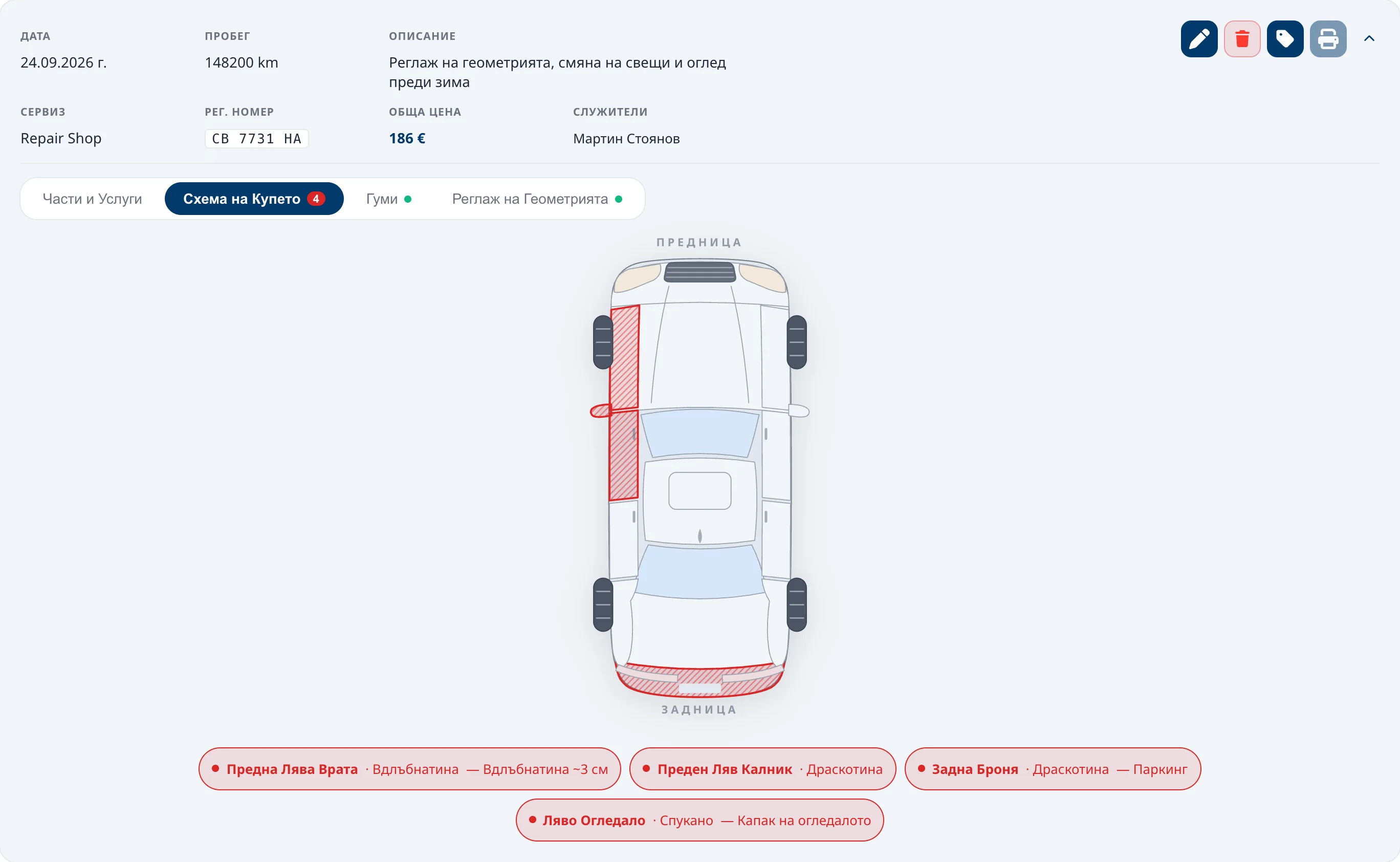
- Scratches, dents, rust and cracks marked on a body diagram, with a note for each.
- Brand, size, DOT code and tread depth for every tyre.
- The measured wheel alignment values for every wheel.
- A printout as a PDF with your shop's logo.
A check-in inspection protects both you and the customer: if a scratch is disputed after the repair, you have a record from the day the car came in.
Frequently asked questions
What do other shops see of my repairs?
Only an anonymised version without prices – and only for cars that are on their books too. Your customer's details and your prices are not shared.
Can I add an old repair from before ReForge?
Yes. Besides the records that jobs create on their own, you can add a repair to the history by hand.
Does the customer need the app?
No. Customers without the app are kept as usual; those with the app also get live status and chat.
