Reports, budgets and your shop's finances
Reports in ReForge show your shop's income against its expenses in real time, budgets and recurring costs, plus detailed reports on jobs, mechanics and profit. The finances are protected with a PIN, so your team works in the system without seeing the numbers.
The shop's numbers on one screen
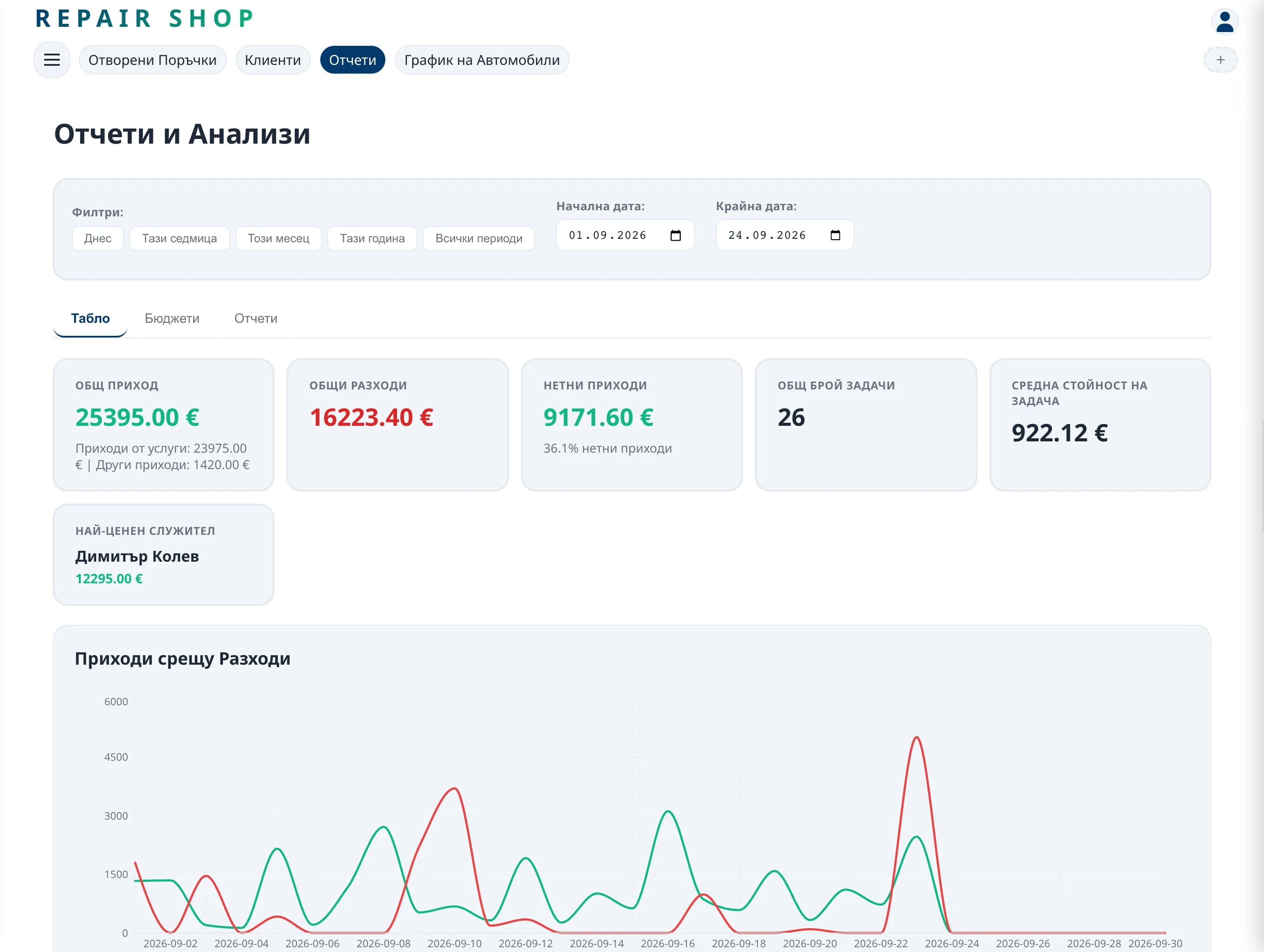
The dashboard brings together the income from closed jobs and the expenses you record, and shows them as charts by period. You see which month was strong, which was weak – and why.
Budgets and recurring costs
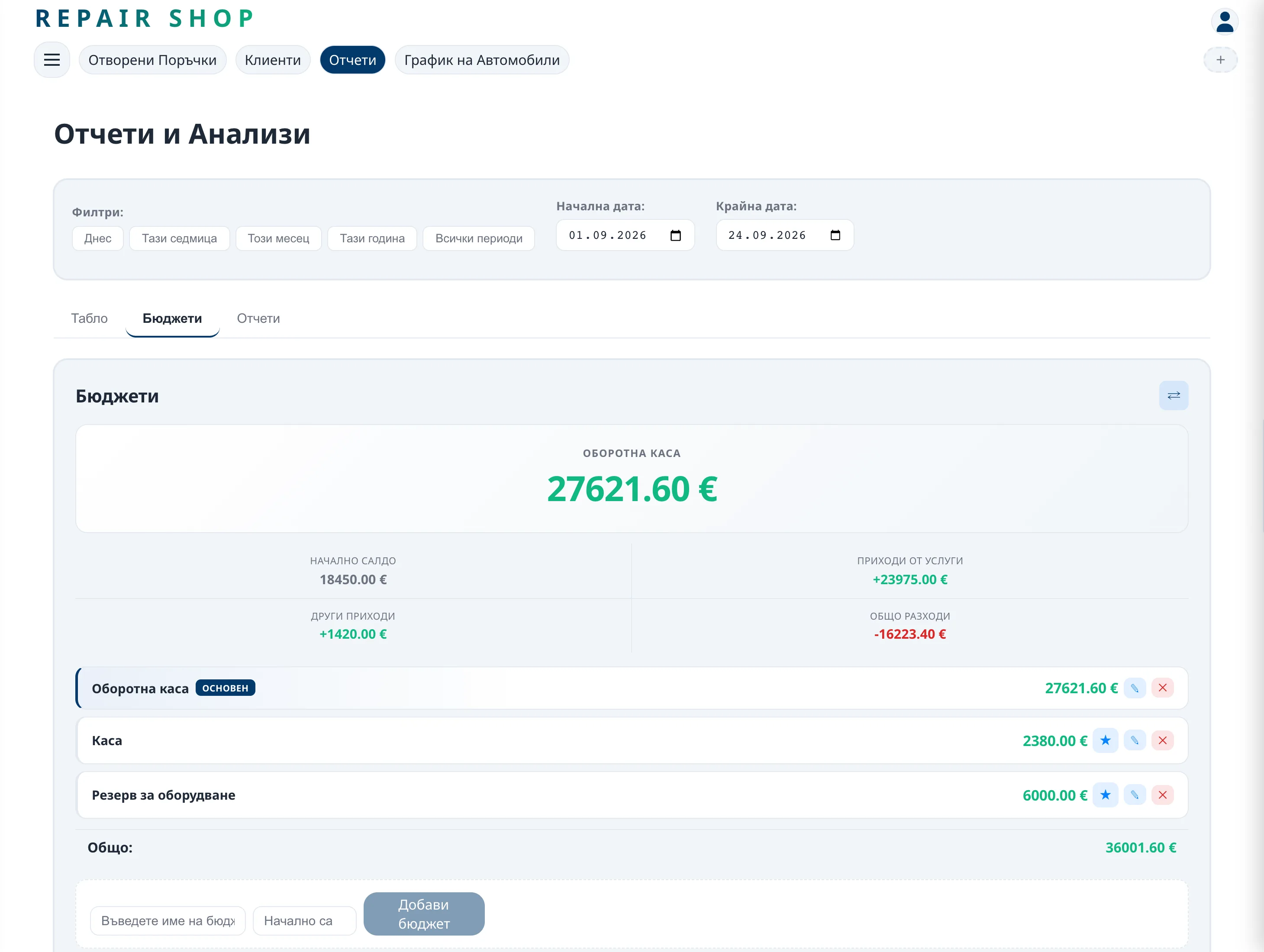
Rent, salaries and subscriptions are entered once as recurring costs. You set budgets by category and see when you go over them – before the end of the month, not after.
Detailed reports
- Jobs – what was done, for whom and for how much.
- Employees – labour, hours and pay by mechanic.
- Profit – income minus expenses for the period.
- Recurring costs – what goes out every month.
The finances are for you only
Reports and pay open with a PIN. Service advisers and mechanics work with jobs and the schedule without seeing income, profit or salaries.
Frequently asked questions
Who sees the reports?
Only whoever knows the PIN. Employees work in the system without access to the finances.
Can I record expenses that don't come from jobs?
Yes. You record any expense or income, including recurring ones such as rent and salaries.
Does my accountant see the internal reports?
No. The accountant has separate access to the issued documents and monthly archives only.
